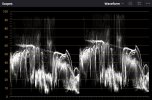
I notice that when I'm working in a DWG color Managed Timeline (or ACES) there seem to be differences with how the footage looks with it set to REC 709 compared to the way it looks when using one of the manufactures REC 709 LUTs. It tends to look a little more dim and has less contrast. I understand that there's going to be differences since it's two different color spaces, but if I'm woking on a project where I'm trying to match the footage to the way the DP had lit and exposed it, it would be useful to know if there's a more elegant way of matching to the manufactures LUT while still working inside DWG.
My current method is to take a few clips and apply the manufactures LUT then take a screenshot and do a side by side to see the difference and adjust accordingly normally a +0.50 in the global exposure and a little contrast and they are betting matching to the manufactures LUT.
Attached is a still from some Sony test footage
My current method is to take a few clips and apply the manufactures LUT then take a screenshot and do a side by side to see the difference and adjust accordingly normally a +0.50 in the global exposure and a little contrast and they are betting matching to the manufactures LUT.
Attached is a still from some Sony test footage