Hi everyone,
I’ve been experimenting with a couple of workflow ideas for DaVinci Resolve around custom color tools and tactile control, and I wanted to share this concept with the community to get some thoughts.
The first part is about turning DCTLs directly into native OFX plugins. DCTL is wonderful for building looks and color transforms, but having those same tools running as clean, standalone OFX plugins is often much more practical for daily use and sharing. I have been testing a simple way to take standard DCTL files and automatically convert them into fully functional OpenFX plugins with their own sliders in the Inspector. The idea is to keep the code neat and protected, while keeping the exact same playback performance and GPU speed as the original DCTL.
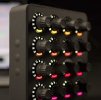
The second part is about physical control. When adjusting OFX plugins or custom tools in the Color page, we usually have to rely on the mouse to move sliders in the Inspector. Instead of using tools that simulate mouse clicks or read the screen, I’ve been prototyping a way to connect standard USB MIDI controllers, like simple knobs and faders, directly to the plugin controls. The sliders move natively inside Resolve, normal Undo (Cmd+Z) works as expected, the mouse stays completely free, and it works even in full screen.
I’m curious to see how this resonates with people grading day to day. Would this kind of setup be useful in a real post-production environment, and is there a favorite MIDI controller that comes to mind for this?
Thanks for any feedback!
I’ve been experimenting with a couple of workflow ideas for DaVinci Resolve around custom color tools and tactile control, and I wanted to share this concept with the community to get some thoughts.
The first part is about turning DCTLs directly into native OFX plugins. DCTL is wonderful for building looks and color transforms, but having those same tools running as clean, standalone OFX plugins is often much more practical for daily use and sharing. I have been testing a simple way to take standard DCTL files and automatically convert them into fully functional OpenFX plugins with their own sliders in the Inspector. The idea is to keep the code neat and protected, while keeping the exact same playback performance and GPU speed as the original DCTL.
The second part is about physical control. When adjusting OFX plugins or custom tools in the Color page, we usually have to rely on the mouse to move sliders in the Inspector. Instead of using tools that simulate mouse clicks or read the screen, I’ve been prototyping a way to connect standard USB MIDI controllers, like simple knobs and faders, directly to the plugin controls. The sliders move natively inside Resolve, normal Undo (Cmd+Z) works as expected, the mouse stays completely free, and it works even in full screen.
I’m curious to see how this resonates with people grading day to day. Would this kind of setup be useful in a real post-production environment, and is there a favorite MIDI controller that comes to mind for this?
Thanks for any feedback!